Fastcrop – Fast and simple web image editor

I'm excited to share Fastcrop, a new web-based image editor I developed vibecoded to make everyday image editing and screenshot annotation quick and hassle-free.
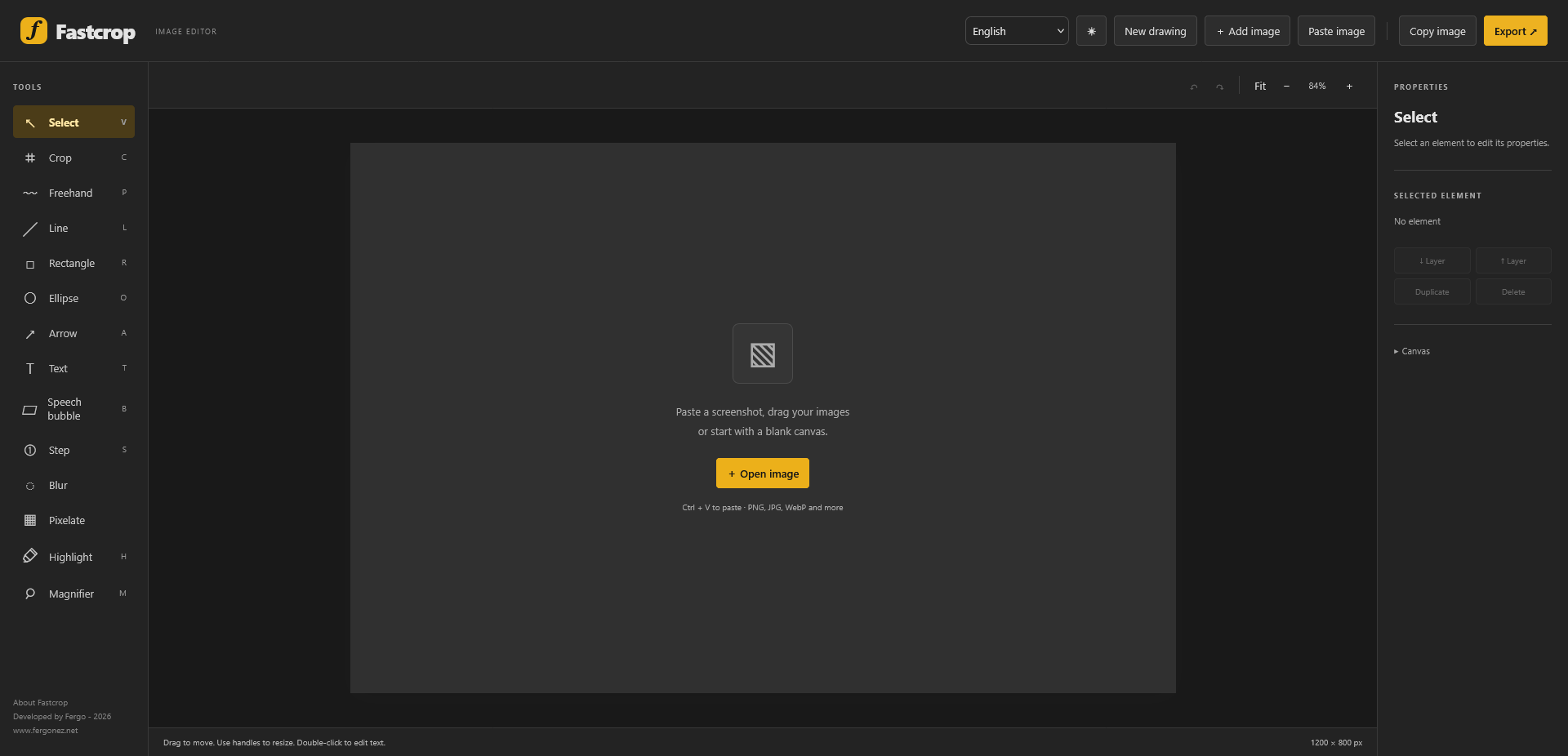
Image

The idea behind Fastcrop is simple: sometimes you just need to crop an image, add a few arrows, highlight something, blur sensitive information, or annotate a screenshot — without opening a heavyweight image editor.

Fastcrop runs directly in your browser, with no installation required.

What can you do with Fastcrop?

  • Edit and annotate images: Add text, shapes, arrows, and other visual elements.
  • Work with screenshots: Paste images directly from your clipboard (Ctrl+V) or drag and drop them into the editor.
  • Blur or pixelate information: Easily hide sensitive details before sharing an image.
  • Customize your canvas: Adjust dimensions, backgrounds, colors, opacity, and other properties.
  • Manage multiple elements: Move, duplicate, and arrange objects using layers.
  • Export your work: Save your finished compositions in common image formats.

Why I Built It

I frequently work with screenshots, diagrams, and technical documentation, and I wanted something that would let me make quick edits without interrupting my workflow.

Rather than relying on complex software for simple tasks, I decided to build my own lightweight, browser-based solution. It is designed to be straightforward, practical, and focused on getting things done.

Fastcrop is free to use and available at:

https://www.fastcrop.app/

The new Fergonez

So here it is! After almost seven years without a single update, I finally had the guts to redesign the site in order to make it easier to publish content. IIRC this is the 4th iteration of Fergonez.net. It's been online since 2004!

Everything from the old site is basically still here. Despite most of the content being in Brazilian Portuguese, the majority of traffic came from english speaking countries, so I decided to drop the dual language support. From now on, I'll only post in English, but the old content in Portuguese is still available, which is indicated by a little flag next to the title.

The dual language thing was probably the main reason why I stopped posting, as it was quite a hassle to have to write two texts every time I wanted to post something new.

In the back-end, I'm now using a databaseless CMS which I customized to suit my needs (both in functionality and theming). Managing the site and publishing new content is now much easier, so I hope to publish more often. It also supports markdown and syntax highlighting, so geeky stuff is very pleasant to read and write.

using System;

namespace HelloWorld {
    class Hello {
        static void Main() {
            Console.WriteLine("Look at this color scheme! So nice!");

            Console.ReadKey();
        }
    }
}

Anyway, I hope you enjoy the new website and let's see if I can make the website more active again. Right now, I'm fiddling with Disqus integration and it should probably be up and running next week.