I'm excited to share Fastcrop, a new web-based image editor I developed vibecoded to make everyday image editing and screenshot annotation quick and hassle-free.
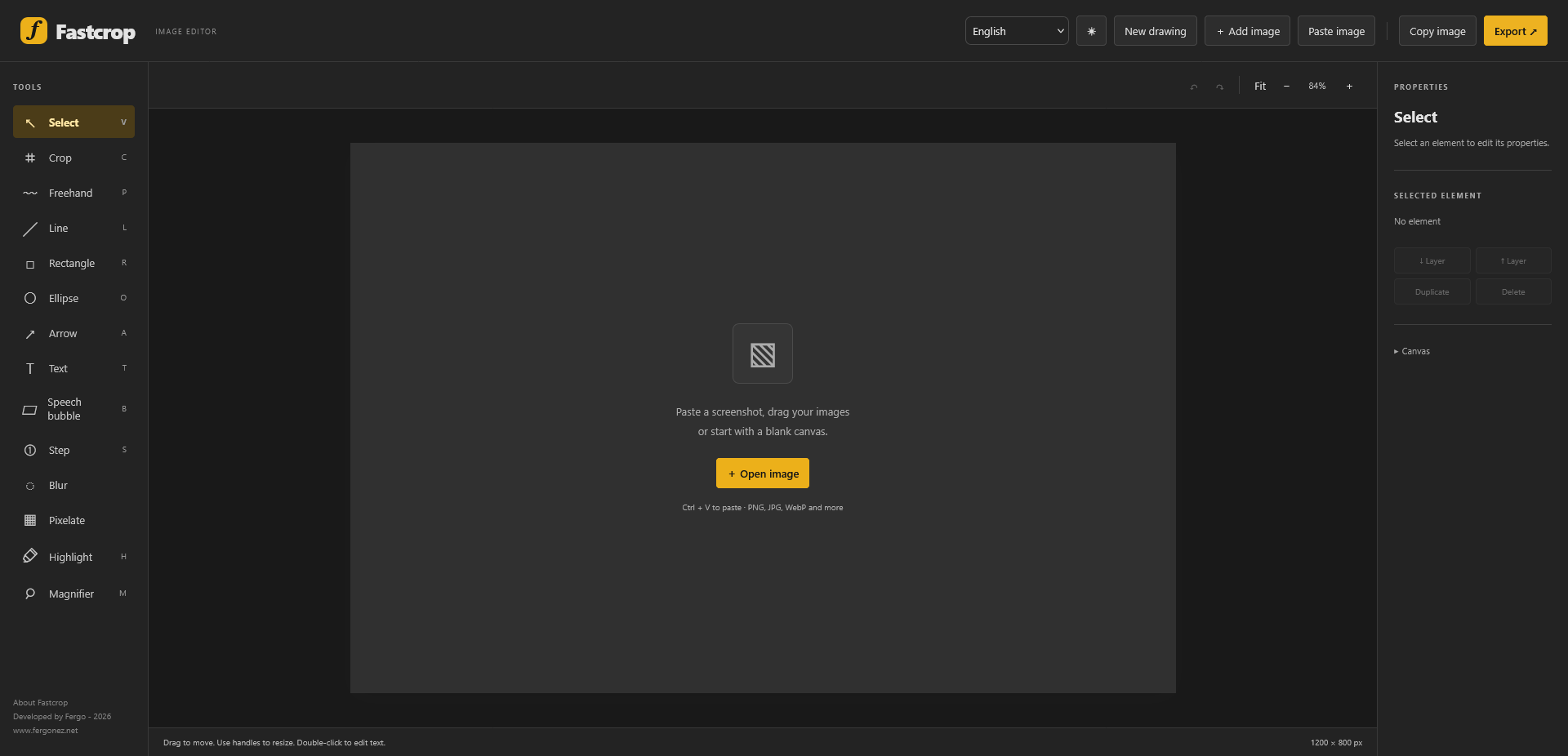
The idea behind Fastcrop is simple: sometimes you just need to crop an image, add a few arrows, highlight something, blur sensitive information, or annotate a screenshot — without opening a heavyweight image editor.
Fastcrop runs directly in your browser, with no installation required.
What can you do with Fastcrop?
- Edit and annotate images: Add text, shapes, arrows, and other visual elements.
- Work with screenshots: Paste images directly from your clipboard (Ctrl+V) or drag and drop them into the editor.
- Blur or pixelate information: Easily hide sensitive details before sharing an image.
- Customize your canvas: Adjust dimensions, backgrounds, colors, opacity, and other properties.
- Manage multiple elements: Move, duplicate, and arrange objects using layers.
- Export your work: Save your finished compositions in common image formats.
Why I Built It
I frequently work with screenshots, diagrams, and technical documentation, and I wanted something that would let me make quick edits without interrupting my workflow.
Rather than relying on complex software for simple tasks, I decided to build my own lightweight, browser-based solution. It is designed to be straightforward, practical, and focused on getting things done.
Fastcrop is free to use and available at: